
Mumbai University has published fresh semester result entries for selected postgraduate and professional courses on its official result system. The most relevant releases for this update are M.A. (Communication Journalism) Sem-IV, M.A. (Public Relation) Sem-IV, Bachelor of Physical Education Sem-I, Master of Science (Analytical Chemistry) Sem-III, and Master of Commerce (Advanced Accountancy) Sem-II Supplementary CDOE. The result listings appear on the university's online result server, while the main university website remains the official institutional source.
If you are trying to find your Mumbai University Result 2026, the fastest method is to open the result portal, identify your exact programme code, and then open the linked PDF or result register. This matters because Mumbai University publishes many results on the same date, and students often open the wrong course or semester first. The programme code and semester name are the safest way to confirm that you are checking the correct result.
This page focuses only on the specific result release covered by the topic. It explains which courses were declared, where the direct links are, what the PDF result contains, and what to do if your seat number is missing or your marks appear incorrect.
Mumbai University Result 2026 overview
Mumbai University has released the result entries relevant to this update on its official online result system. The result page lists these releases under the university result portal and shows 15/04/2026 as the declaration date for the main set covered here.
The release is not a single combined marksheet for all students. Instead, the university publishes separate course-wise result entries, usually as PDFs or office registers. Students must open the correct course entry and then search by seat number or read the listed result details.
Courses declared in this result update
The following programme entries are the core releases tied to this topic:
| Programme Code | Course | Semester | Scheme | Portal Date |
|---|---|---|---|---|
| 4O00754 | M.A. (Communication Journalism) | Sem-IV | CBCS, CDOE, 75:25 | 15/04/2026 |
| 4O00854 | M.A. (Public Relation) | Sem-IV | CBCS, CDOE, 75:25 | 15/04/2026 |
| 4P00211 | Bachelor of Physical Education | Sem-I | 2 Year, CBSGS | 15/04/2026 |
| 1111361 | Master of Science (Analytical Chemistry) | Semester III | NEP 2020 | 15/04/2026 |
| 2120361 | Master of Commerce (Advanced Accountancy) | Semester II | NEP 2020, Supplementary, CDOE | 15/04/2026 |
When you open the portal, use the programme code first. That is the quickest way to avoid opening the wrong result PDF.
Direct result links
Use the links below to open the relevant official result pages and PDFs:
| Result | Direct link |
|---|---|
| Result portal home | Open Mumbai University Result Portal |
| M.A. (Communication Journalism) Sem-IV | Open PDF |
| M.A. (Public Relation) Sem-IV | Open PDF |
| B.P.Ed Sem-I | Open PDF |
| M.Sc. (Analytical Chemistry) Semester III | Open PDF |
| M.Com (Advanced Accountancy) Semester II Supplementary CDOE | Open PDF |
If a direct PDF does not open immediately, go back to the main result portal and search the same programme code there.
How to check Mumbai University result online
- Open mumresults.in.
- Find the section that contains your current release list.
- Match your course using the exact programme code and semester.
- Click the PDF or result entry for your course.
- Use your browser search function and enter your seat number.
- Read the result row carefully and verify your marks, result status, and semester details.
- Save the PDF for reference.
The university also lists examination services and result-related information on mu.ac.in, but the result file itself is generally opened through the result server.
What the result PDF usually contains
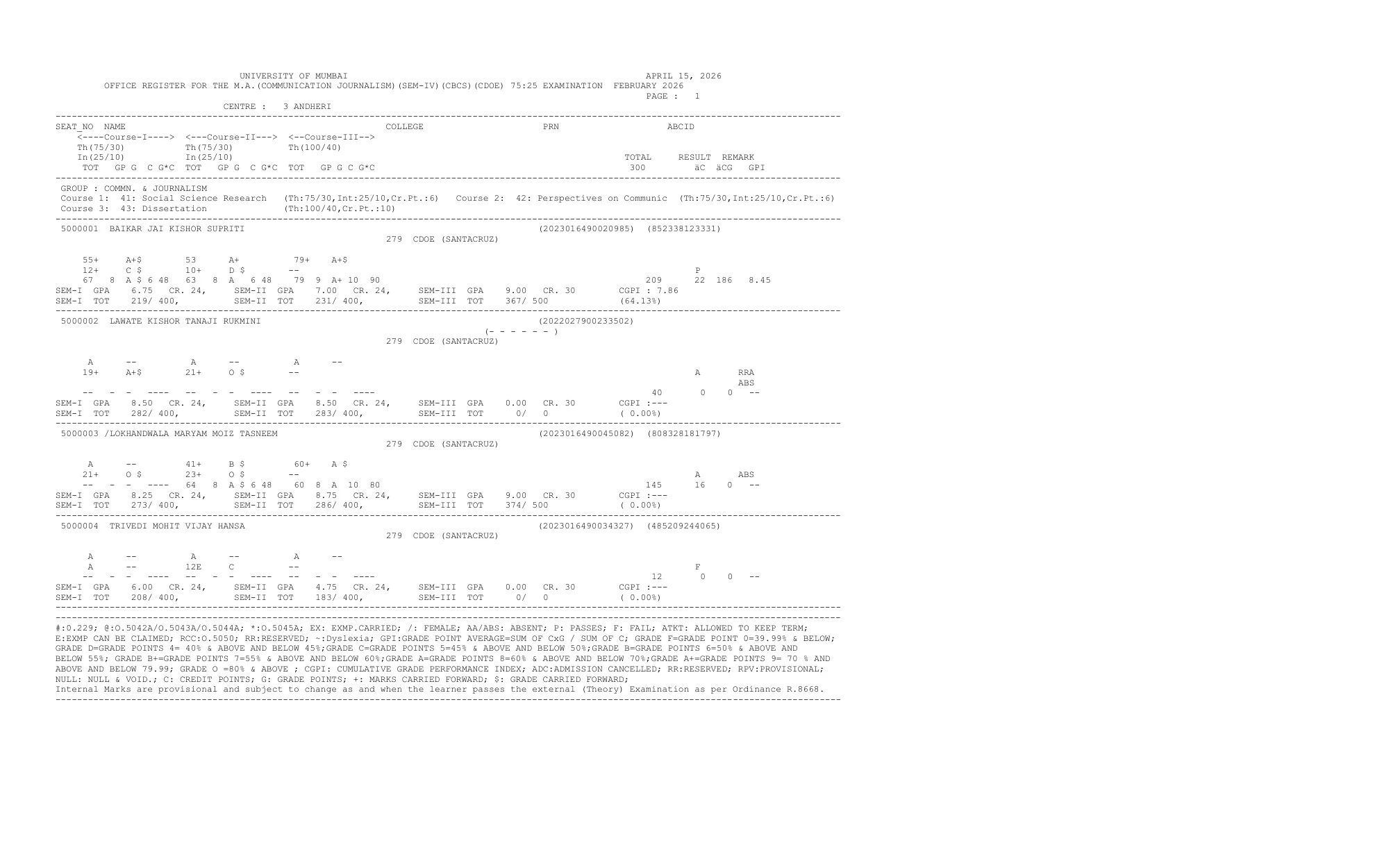
Mumbai University result PDFs are usually published as office registers. Depending on the course, you may see the candidate name, seat number, college, PRN or registration details, paper-wise marks, internal and external marks, total marks, grade points, SGPI or GPA, and the final result remark such as pass, fail, absent, reserved, or provisional status.
For example, the M.A. (Communication Journalism) Sem-IV PDF is a one-page office register, while the B.P.Ed and M.Sc. PDFs run across multiple pages. So do not assume that your result is missing until you search the full PDF using your seat number.
Exam sessions connected to these results
The result date and the examination session are not always the same. In this release, the course PDFs show different underlying examination sessions:
| Course | Exam session mentioned in PDF or result entry |
|---|---|
| M.A. (Communication Journalism) Sem-IV | Examination February 2026 |
| B.P.Ed Sem-I | Examination held in January 2026 |
| M.Sc. (Analytical Chemistry) Semester III | Regular examination held in December 2025 |
| M.Com (Advanced Accountancy) Semester II Supplementary CDOE | Supplementary examination held in December 2025 |
This is normal for university result processing. Students should therefore rely on the exact course name, semester, and programme code rather than the exam month alone.
Details to verify after downloading the result
After opening your result, check all essential fields before you close the PDF:
- Student name
- Seat number
- Course and semester
- College name
- Subject-wise marks or grades
- Total marks, GPA, SGPI or CGPI where shown
- Final result status
If any detail looks incorrect, keep a saved copy of the PDF page and contact your college or the university examination side with the exact course and programme code.
What to do if your result is missing or looks wrong
If you cannot find your result, first make sure that you opened the correct programme code and semester. Mumbai University releases many similarly named entries, especially for M.A., M.Sc. and M.Com streams. A wrong semester or scheme selection is the most common reason students think their result is not available.
If your seat number is still not visible, or your marks and status look incorrect, contact your college examination section and keep the course PDF link ready. You can also use the university examination result unit page on the official website for related result-service notices and follow-up information.
Official websites relevant to this result
Use these official sources for verification and follow-up:
- University of Mumbai main website
- University of Mumbai Exam Result Unit
- Mumbai University official result server
The main university website is the institutional source, while the result server hosts the actual course-wise PDFs and office registers.
Official Links
Frequently Asked Questions
You can check the result on the official Mumbai University result server at mumresults.in. The university website mu.ac.in is the main institutional website.
This update covers M.A. Communication Journalism Sem-IV, M.A. Public Relation Sem-IV, B.P.Ed Sem-I, M.Sc Analytical Chemistry Sem-III, and M.Com Advanced Accountancy Sem-II Supplementary CDOE.
You should keep your correct programme code, semester, and seat number ready. The seat number is the fastest way to search inside the PDF.
The portal entry date and the PDF header date can differ slightly. Use the latest linked PDF from the official result portal for your course.
First confirm that you opened the correct programme code and semester. If it is still missing, contact your college examination section and keep the course link ready.
It is useful for immediate checking and reference. For formal academic records, follow your college or university process for marksheet issuance.